
Protecting Our Loved Ones: Mana’s Big Guide to Online Safety for Seniors
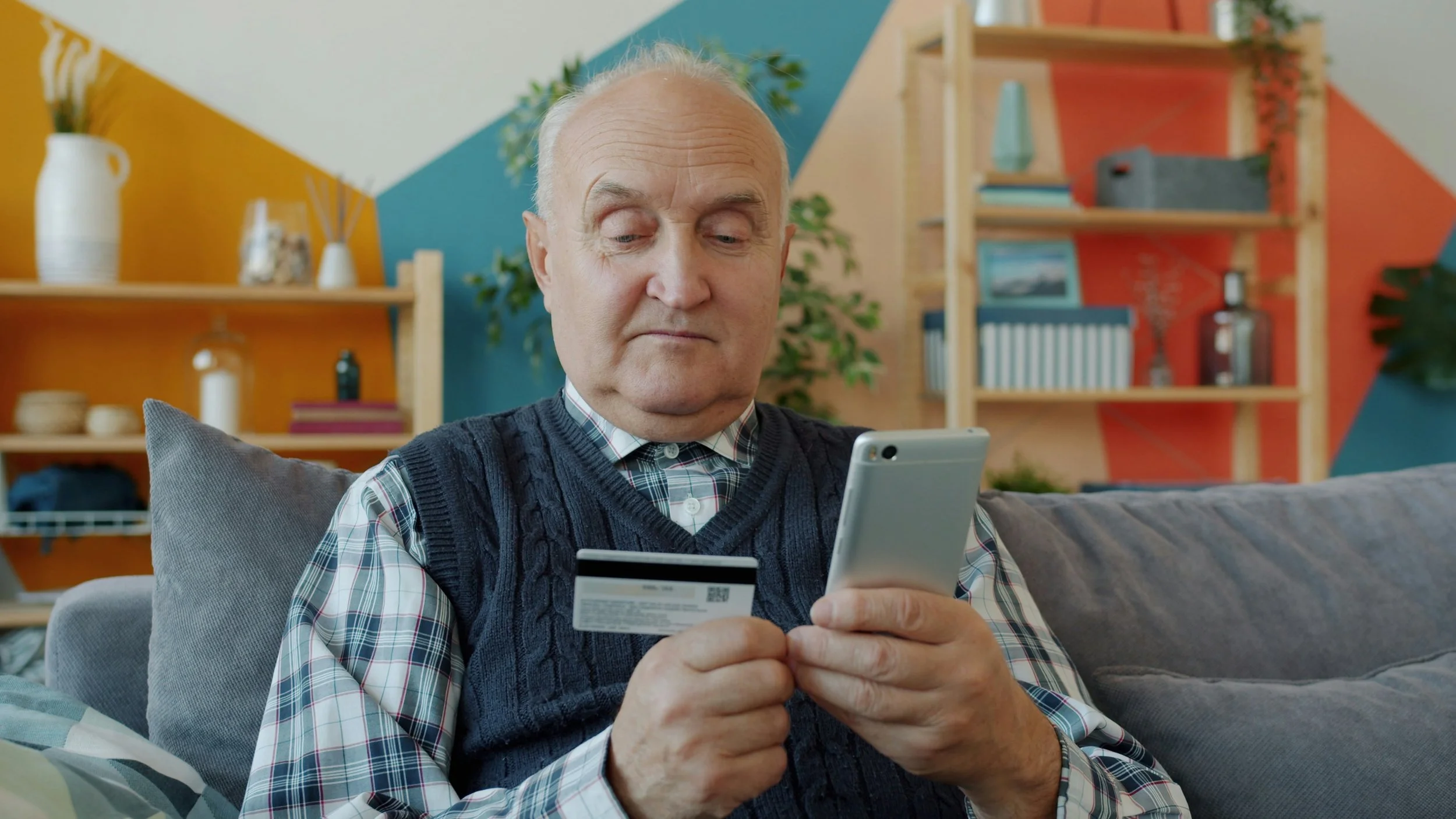
Getting scammed sucks, and it can be especially hard on older internet users. But as our world becomes increasingly digital, everyone is growing more dependent on online services to take care of daily tasks and basic needs. Additionally, while the internet offers incredible opportunities for connection, learning, and entertainment, it also presents a landscape ripe for exploitation by those with malicious intent. We’ve been wanting to write an up-to-date guide to equip our readers and their senior family members with the knowledge and tools needed to navigate the online world safely and confidently. So here it is!
While we take a special focus on protecting older internet users in this article, this advice generalizes for anyone, even your tech-native kids! We hope that reading through it helps you unlock some new safety habits, especially as the peak of online shopping season hits this month.
Understanding the Threats: Common Online Hacks and Attacks
The first step in protection is understanding what we're up against. Online threats are constantly evolving, but many rely on similar tactics.
1. Phishing Scams: This is perhaps the most prevalent and dangerous type of attack. Phishing involves deceptive communications designed to trick individuals into revealing sensitive information, like usernames, passwords, credit card numbers, or social security numbers. These often come in the form of emails, text messages, or even phone calls that appear to be from legitimate sources like banks, government agencies, or well-known companies. They might contain urgent warnings, promises of prizes, or requests to "verify" account details.
2. Malware and Viruses: Malicious software (malware) can be unknowingly downloaded onto a computer or phone, often by clicking on a suspicious link or opening an infected attachment. Once installed, malware can steal personal information, damage files, or even take control of the device.
3. Ransomware: A particularly nasty form of malware, ransomware locks users out of their own files or computer system and demands a payment (ransom) to restore access.
4. Identity Theft: This occurs when a scammer obtains and uses someone's personal information to commit fraud, such as opening new credit accounts, filing taxes, or accessing existing financial accounts.
The Outsized Risk of Social Engineering
While technical vulnerabilities exist, the vast majority of successful attacks on seniors don't rely on sophisticated hacking techniques. Instead, they exploit human psychology through a method called social engineering. If you focus on just one part of today’s blog, let it be this!
What is Social engineering? Social engineering is the art of manipulating people into divulging confidential information or performing actions that compromise their security. Scammers are master storytellers and often play on emotions like fear, trust, urgency, and greed.
Why Seniors are Particularly Vulnerable:
Disproportionate Targeting: Older adults experience disproportionately high rates of cybercrime and financial loss, collectively losing billions of dollars annually to a range of scams. Perpetrators target older adults because they are perceived to be at or near peak asset accumulation and may have less familiarity with the latest digital threats.
Less Familiarity with Technology: They may be less adept at recognizing the subtle red flags of online scams.
Trustworthiness: Many seniors were raised in a time when trust was more common and skepticism less prevalent.
Isolation: Some seniors may experience social isolation, making them more susceptible to engaging with seemingly helpful or friendly individuals online.
Exploiting Emotions: Scams frequently rely on creating a sense of urgency or fear to pressure the victim into a rash decision (e.g., "Your account will be closed unless you click this link now!")
It's crucial to understand that these scams are not a reflection of a senior's intelligence. They are expertly crafted psychological traps designed to bypass rational thought.
Effective Mitigation Strategies
Now that we understand the threats, let's explore the most important and effective ways to protect ourselves and our older family members online.
1. Strong Passwords: Your First Line of Defense
A strong password is the bedrock of online security. It's the lock on your digital door. Autogenerating passwords is the easiest and best method, but if you can’t autogenerate them, here are some important considerations:
Length is Key: You should assume that hackers can easily guess a password less than 16 characters (yes, really!), unless it is truly randomly generated. Here is an example of an acceptable short password: “csG!COFCxjG036Lp”. If your password is not randomly generated, you’ll need it to be much longer.
Mix it Up: Use a combination of uppercase letters, lowercase letters, numbers, and symbols.
Avoid Personal Information: Don't use birthdays, names of pets, anniversaries, or easily guessable sequences like "123456" or "password." Personal information is much more easily guessed by hackers.
Unique Passwords for Each Account: This is critical, and one of the most common vulnerabilities out there is using the same simple password for everything. However, with different passwords, if one account is compromised, the hacker won't have access to all other accounts.
Think in Phrases: Instead of random characters, create a memorable phrase or sentence, then adapt it. For example, "MyDogSparkyLovesToChaseSquirrels!" is much stronger than "Sparky123". You can also replace letters with numbers or symbols, which works even better if you swap unexpected numbers and letters and capitalize letters in surprising places (e.g., "mydo6sParkylovestOchaseS8uirrels!").
2. Embrace Password Managers
Remembering dozens of unique, complex passwords is pretty much impossible, but you shouldn’t have to. This is where password managers come in.
A password manager is an encrypted digital vault that securely stores all your login credentials. You only need to remember one strong master password to unlock the vault.
Benefits of Password Managers:
Generates Strong Passwords: Most password managers can generate truly random and robust passwords for you.
Secure Storage: Your passwords are encrypted and stored safely.
Autofill: They can automatically fill in your usernames and passwords on websites and apps, making logging in quick and easy. This also helps prevent phishing, as the manager will only autofill on legitimate sites. Teach your older family members the power of autofill! It makes life so much easier.
Cross-Device Syncing: Password managers help you access your passwords from any device (phone, tablet, computer).
Popular and reputable password managers include browser-based managers like those built into Safari or Chrome, LastPass, 1Password, Bitwarden, and Dashlane. Helping a senior family member set up and learn to use a password manager is one of the most impactful things you can do for their online safety.
3. Two-Step Verification (2SV) / Multi-Factor Authentication (MFA)
Even with a strong password, an account can still be compromised if the password is stolen. That's where 2SV (or MFA) provides an essential second layer of security.
With 2SV, after entering your password, you're required to provide a second piece of information to prove your identity. This is usually:
A code sent to your phone: Via text message (SMS) or an authenticator app (like Google Authenticator or Authy).
A fingerprint or facial scan: On devices that support biometric authentication.
A physical security key: A small device you plug into a USB port.
Why 2SV is So Effective: Even if a scammer gets your password, they can't log in without that second factor. It's like having two locks on your door, and the scammer only has a key to one. Encourage your family members to enable 2SV on all important accounts, especially email, banking, and social media.
4. The Power of Passkeys
Passkeys are the modern way to log in online and offer an even stronger defense than passwords and 2SV. In simple terms, a Passkey replaces your password entirely. This is probably the second most important part of the blog - if you don’t know about Passkeys or use them yet, please read on and start setting them up!
How Passkeys Work (the technical details):
When you create a Passkey for an account, your device (phone, computer) generates a unique cryptographic key pair.
Public Key: This part is stored by the website or service you're logging into.
Private Key: This part remains securely on your device, protected by your fingerprint, face scan, or PIN.
When you log in with a Passkey, your device uses its private key to cryptographically prove to the website that it's you. The website's public key verifies this proof.
Why Passkeys are So Great For Users (Especially Older Users):
Passkeys are much easier to use than traditional passwords because they leverage technology you already use for security and simplify the login process into a single, familiar step.
Here are the main reasons why passkeys are so user-friendly:
🔑 Single-Step Authentication
Passkeys replace the entire two-step process of logging in with a password and then using Two-Step Verification (2SV).
Traditional Login: You might have to manually type in your username, type in your password, and then enter a six-digit code from an authenticator app or text message. This is three separate steps, often requiring you to switch between devices or apps.
Passkey Login: You simply confirm your identity on your device (phone or computer) using a biometric scan (fingerprint or face) or a PIN. This is one fast, familiar action.
🤳 Leveraging Biometrics and Device Security
Passkeys utilize the security features already built into your smartphone or computer, which are designed for quick and frequent use.
No New Credentials to Remember: You don't have to recall a complex, 16-character phrase. Instead, you use your fingerprint, face, or device PIN, which you likely already use multiple times a day to unlock your phone.
Built-in Accessibility: Since the keys are stored securely on your device, the login process is integrated directly into your operating system (iOS, Android, Windows), making the experience native and seamless.
☁️ Automatic Syncing and Recovery
Passkeys are designed to work across all your devices and are easy to recover, removing the headache of password synchronization and lockout situations.
Cross-Device Access: Passkeys automatically sync through cloud services (like Apple iCloud Keychain, Google Password Manager, or Microsoft Edge) to all your authenticated devices. You don't have to manually set up a new passkey every time you get a new laptop or tablet.
Easy Recovery: If you lose your primary device, you can easily recover your passkeys by logging into your cloud account on a new device. This eliminates the need for complex recovery methods often associated with forgotten passwords or lost authenticator app access.
In essence, passkeys are easy because they shift the security burden from the user's memory (complex passwords) to the user's device (biometrics and device security), making the act of logging in nearly instantaneous and significantly less prone to error.
Why Passkeys are So Effective Against Hijackers:
Phishing Resistant: Passkeys are inherently resistant to phishing. Because the private key is tied to your device and the specific website, a scammer can't trick you into using your Passkey on a fake website. The Passkey simply won't work there.
No Passwords to Steal: There's no password to guess, crack, or steal.
Easier to Use: Logging in is often just a fingerprint scan or face unlock, making it more convenient than typing complex passwords or entering codes.
Stronger Encryption: They use advanced cryptography, making them incredibly difficult to compromise.
Passkeys are gradually being adopted by more websites and services (Google, Apple, Microsoft, Amazon, and PayPal are among them). Helping your senior family members transition to Passkeys wherever available is a significant step towards ultimate online protection.
Behavioral Strategies: Fostering a Culture of Skepticism
So far, we’ve covered some of the technical things you can do to protect yourself, but online safety is about much more than strong passwords, passkeys and encryption. Social engineering exploits behaviors like politeness, helpfulness, and a sense of urgency. The most effective behavioral defense is the adoption of a "Slow Down, Spot Check, Stop!" mindset.
1. Slow It Down
Scammers rely on an immediate, emotional response. Teach your family member to instinctively pause when receiving any unexpected or urgent request.
The Golden Rule: No legitimate organization will ever demand immediate payment or sensitive personal information on the spot, especially via gift cards, wire transfers, or cryptocurrency.
Take a Step Back: Encourage them to tell the caller/sender, "I need to check with my family first," or "I will call my bank/the company directly to verify this." A legitimate representative will support this verification step; a scammer will become frustrated or pressure them further.
Filter Urgency: Recognize that any message or call creating extreme emotional pressure (fear, panic, excitement) is a major red flag designed to bypass rational thought.
2. Spot Check
Before acting on any unsolicited communication, the recipient must verify its legitimacy using an independent method.
Independent Verification: Never use the phone number or link provided in the suspicious email or call. For example, if a "bank" calls:
Hang up the phone.
Use the official number printed on the back of their bank card or from the bank's officially documented website (which they type in manually, not click through to).
Call the bank directly and ask if the reported issue is real.
Hover and Examine: Teach them to hover the mouse cursor over any link in an email without clicking. If the website address that appears at the bottom of the screen doesn't match the company's official address, it's a scam. Also, look for subtle spelling variations (e.g., "M1crosoft.com" instead of "Microsoft.com").
3. Stop! Don't Send
If there is any doubt whatsoever, the action should be immediately stopped.
Assume Impersonation: Adopt a default mental posture of skepticism for all unsolicited communications. Since criminals can easily disguise their identity (even as friends or loved ones), always verify the person's identity before acting on a request for money or information.
Use Your Code Word: Reinforce the family code word strategy (detailed below). If the caller cannot provide the secret code, the call must be ended immediately.
Additional Protection Strategies
Beyond technical and behavioral safeguards, there are crucial family and communication strategies that add layers of protection.
1. The "Code Word" Strategy for Social Engineering Protection
We love this strategy at Mana. It’s a super simple, yet incredibly effective defense against social engineering scams that involve impersonation.
How it Works:
Agree on a secret "code word" with your older family member that only you and a few other designated, trusted individuals know. You can even have your family member write it down for easy reference, so they don’t forget.
The Rule: If a call, text, or email claims to be from you (or another trusted family member) and requests money, personal information, or immediate action, your senior family member must ask for the code word.
No Code Word, No Trust: If the person on the other end cannot provide the correct code word, it is a scammer, regardless of how convincing they sound or how much they know about the family.
2. Share Access with Trusted Family Members (carefully)
For some seniors, managing all their online accounts can be overwhelming. In these cases, it might be beneficial to share access to certain accounts with a trusted family member.
Designated Accounts: This might include managing a shared family photo account, a streaming service, or even helping set up doctor's appointments online.
Limited Access: Wherever possible, use features that allow for "delegate access" or "family sharing" without giving full control.
Open Communication: Ensure there is clear communication about which accounts are shared, for what purpose, and who is responsible for what.
Banks are often supportive of shared ownership of an account, and it’s best to go into the branch in person to set this up. You can have your own unique login credentials associated with a senior family member’s account, which means you can monitor the transactions and review for suspicious or unexpected activity.
3. Set Up Recovery Contacts on Google Accounts (and Similar Services)
Many online services, like Google, offer features to designate a "recovery contact" or "trusted contact." This can be a very helpful tool for seniors.
Why it's Important:
Prevents Lockouts: Reduces the frustration and potential panic of being locked out of essential online services.
Avoids Scam Pitfalls: A scammer might try to convince a senior they need help recovering an account and then try to gain access themselves. Having a designated family member for recovery provides a safe and trusted pathway.
👵 Tech Overwhelm: Helping the Non-Tech Literate
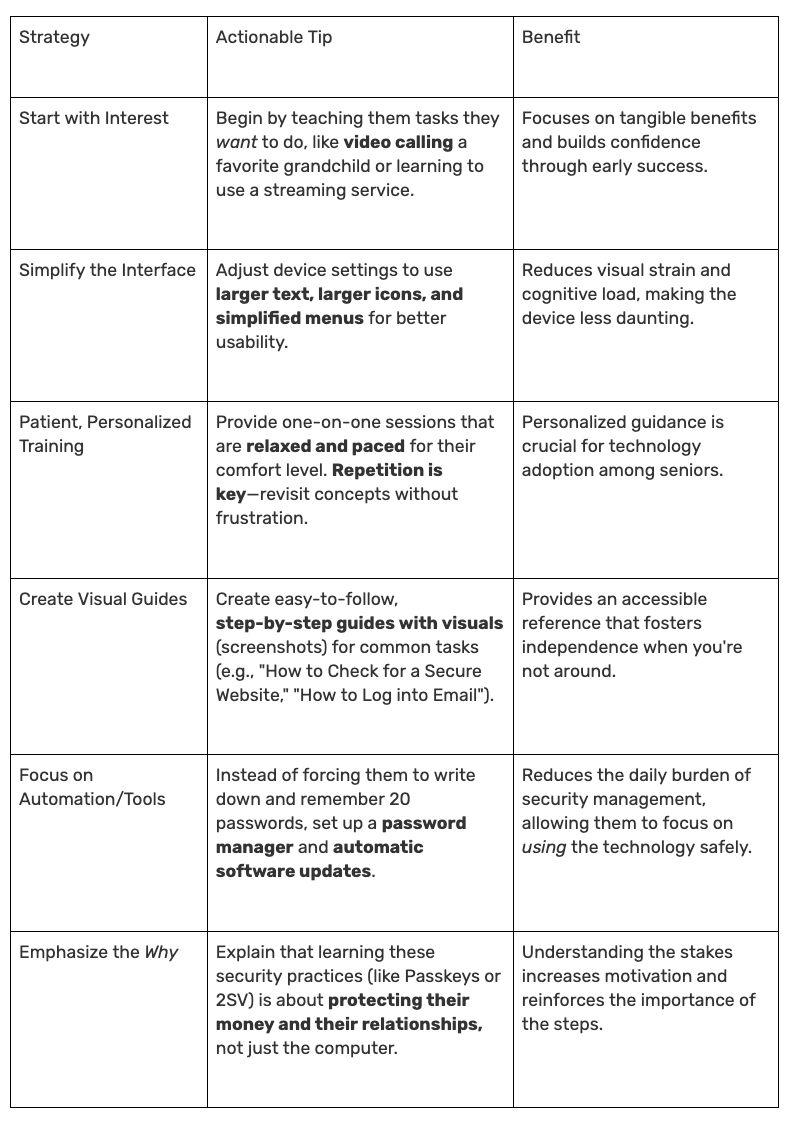
For lots of older internet users, learning new online interactions and tools can be difficult. If technology is overwhelming for your older family member, your approach should shift from demanding mastery to providing patient, tailored support and accessibility adjustments.
Special Tips For Protecting Financial Data Online
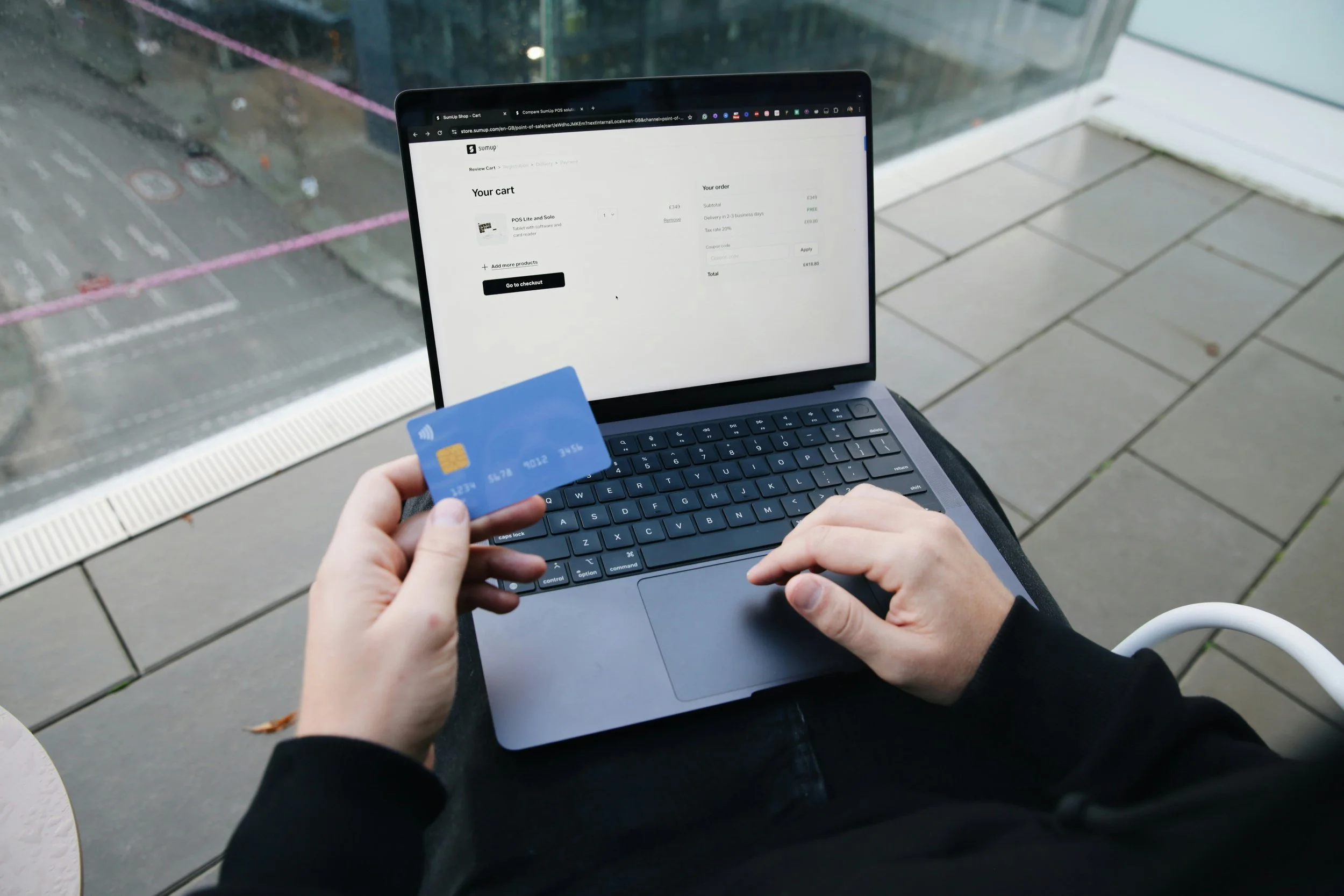
Why did we, a financial advisory, write a security blog post? Well, financial gain is typically the main target for online scammers. Financial fraud is a huge pain, and can be devastating and life-changing in certain cases. Additionally, with the holiday shopping season in full swing, everyone is more vulnerable right now. So, here are some final tips to help you and your family stay safer:
Only Use Secure Websites for Banking/Shopping: Look for "https://" at the beginning of the website address and a padlock icon in the browser bar. Never enter financial information on sites that only show "http://".
Avoid Public Wi-Fi for Sensitive Transactions: Public Wi-Fi networks are often unencrypted and can be easily intercepted. Reserve online banking and shopping for secure home networks.
Monitor Bank Statements Regularly: Encourage your family members to check their bank and credit card statements frequently for any unauthorized transactions.
Set Up Transaction Alerts: Banks often allow you to set up email or text alerts for transactions over a certain amount, or for all online purchases.
Never Give Out Account Information Over the Phone Unless You Initiated the Call: If someone calls claiming to be from the bank and asks for account numbers or passwords, just hang up and call the bank directly using the number on their official website or on the back of your bank card.
Consider Credit Freezes: A credit freeze prevents anyone from opening new credit accounts in your name, even if they have your personal information. This is a powerful defense against identity theft.
If you’ve made it this far, you know this was a long blog post! But we hope that you learned something new and useful, and feel more empowered to protect yourself and your family moving forward. Online safety is a key part of financial security and protecting your wealth; they truly go hand in hand.
Follow our Instagram for personal finance tips and inspiration.
Madison Elliott is a UX Researcher at Google. Madison consults on data engineering and usability at Mana Financial Life Design (FLD). Mana FLD provides comprehensive financial planning and investment management services to help clients grow and protect their wealth throughout life’s journey. Mana FLD specializes in advising ambitious professionals who seek financial knowledge and want to implement creative budgeting, savings, proactive planning and powerful investment strategies. Madison brings her combined background in cognitive science, computer science and clinical psychology with her professional UX and engineering experience to optimize workflows at Mana FLD and improve people’s lives.